Monstera Creative Google Slide: A Modern Presentation Template
Let's be honest. Most presentation templates feel generic. They're either overly corporate with tired stock imagery or so minimalist they lack any real personality. When you're pitching a new idea, showcasing a portfolio, or presenting a brand strategy, you need something that feels intentional, polished, and distinctly you. That's where the Monstera Creative Google Slide template comes in. It’s not just another set of slides; it's a thoughtfully designed system built for professionals who understand that how you present is as important as what you present.
Understanding the Monstera Aesthetic
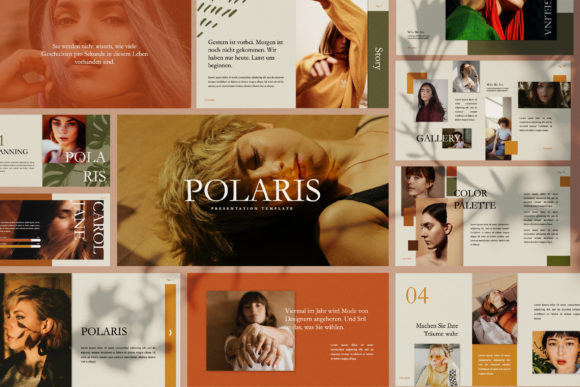
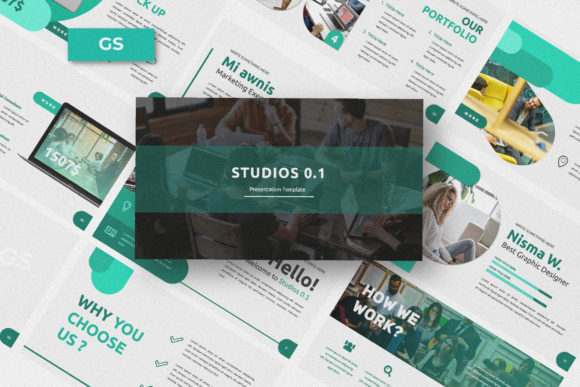
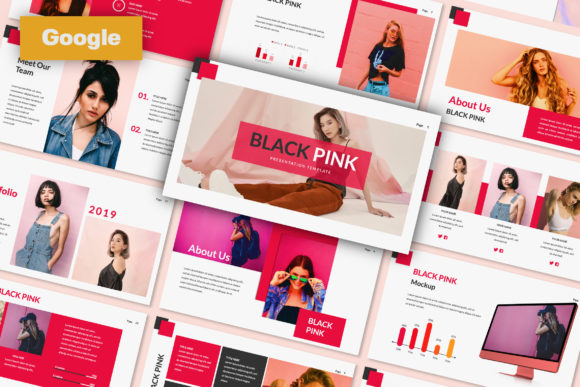
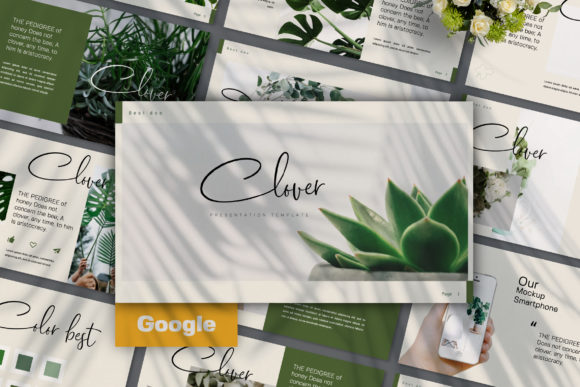
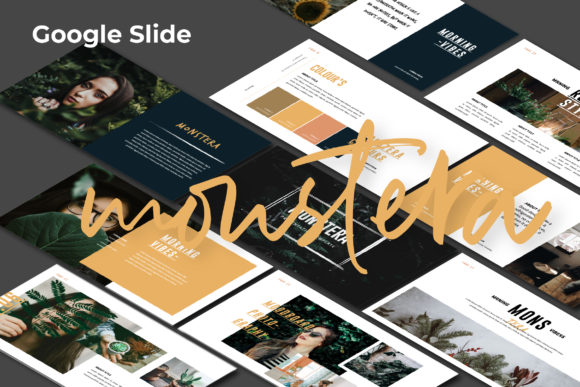
The first thing you'll notice about Monstera Creative is its ultra-modern, clean aesthetic. It avoids visual clutter, relying instead on strong typographic hierarchy, generous white space, and dynamic layout compositions. Each slide feels carefully crafted, with a balance between text and imagery that guides the viewer's eye naturally. The design personality is professional yet approachable—confident without being cold. It uses a contemporary color palette and subtle graphic elements that provide structure without overwhelming your content. This isn't a template that shouts; it’s one that commands attention through clarity and sophisticated design principles.
What makes it particularly effective is its versatility. The template includes many variations of layout and text, from full-bleed image placeholders to structured grid systems, timeline slides, and impactful quote layouts. This multipurpose foundation means the Monstera Creative template can seamlessly adapt to a business review, a creative portfolio showcase, a marketing campaign pitch, or a corporate branding guideline presentation. The 16:9 aspect ratio is standard for modern displays, ensuring your presentation looks sharp on any screen, from a laptop to a conference room projector.
Practical Applications for Real Projects
So, where does Monstera Creative Google Slide truly shine? For entrepreneurs and small business owners, it’s a game-changer for investor pitches and business plans. The professional design instantly builds credibility, while the image placeholders allow you to visually tell your brand's story. Instead of describing your product, you can show it in context, making your case more compelling and memorable.
For designers, marketers, and content creators, this template is an invaluable design asset. Imagine presenting a new social media strategy or a website redesign concept. You can use the unique portfolio slides to display mockups, campaign visuals, or content calendars in a way that feels cohesive and engaging. The easy color change feature is critical here; you can quickly adapt the entire presentation to match a client's brand identity, ensuring consistency and reinforcing their visual language throughout your proposal.
Even for personal projects—like a hobbyist creating a tutorial, a crafter showcasing a collection, or a blogger pitching to a brand partnership—the Monstera template elevates the work. It transforms a simple slideshow into a polished piece of visual communication. The ability to drag and drop your own images into the placeholders means your personal content gets the professional framing it deserves, helping you stand out in a crowded digital space.
Design Decisions and Working with the Template
The real power of Monstera Creative lies in its construction using Slide Master. This isn't just a technical detail; it's a practical advantage. Editing the master slides means you can make global changes to fonts, colors, and recurring elements once, and they'll update across every slide in the deck. This saves immense time and, more importantly, guarantees visual consistency—a cornerstone of professional presentation design.
When you start customizing, think about visual hierarchy. The template provides a strong foundation, but your content needs to lead. Use the larger, bolder text areas for your key messages or headlines. The placeholder images are your chance to add authentic context; choose high-quality photos that align with your brand's tone, not generic stock images. The included business guidelines pages are a thoughtful touch, offering a structured way to present brand standards, color codes, and typography rules if you're doing a branding or corporate identity presentation.
A word on fonts: the preview images are not included in the main file, and the fonts used are noted separately. This is standard practice for commercial templates. When you open the file, you may need to install the specified fonts or choose your own replacements. This is actually an opportunity. Selecting a premium font that aligns with your brand can further personalize the presentation. Consider a clean sans serif font for body text for maximum readability, paired with a distinctive display font for headlines to add character. The goal is to maintain the template's clean aesthetic while injecting your own brand's typographic voice.
Final Thoughts on a Versatile Tool
Ultimately, the Monstera Creative Google Slide template is more than a collection of pre-designed slides. It's a framework for clear, modern visual storytelling. Its strength is in its balanced design—professional enough for the boardroom, yet flexible and creative enough for a portfolio review or a marketing brainstorm. It respects the content you bring to it by providing a clean, engaging stage for your ideas.
If you're tired of fighting with poorly structured templates or starting from a blank slide every time, this approach offers a smarter path. It gives you a polished starting point that you can fully customize, ensuring your next presentation doesn't just share information, but makes a genuine impact. In a world where attention is fleeting, presenting your work with this level of care and modern design sensibility is a practical advantage worth having.