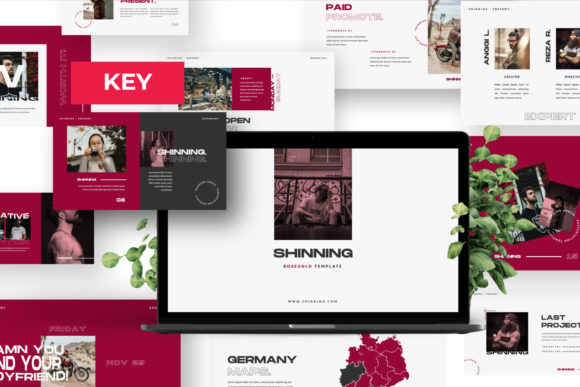
Shinning Keynote: A Modern Template for Impactful Presentations
First Impressions: More Than Just Slides
You know the feeling. You open a blank presentation file, and the cursor blinks back at you, a tiny void of potential and pressure. We've all been there, wrestling with alignment, color palettes, and the nagging sense that our slides look… generic. This is the exact problem the Shinning Keynote template was built to solve. It’s not just a collection of pre-made layouts; it’s a professional design system packaged for creators. The moment you open it, you sense the difference. The design feels both ultra-modern and timeless, a tricky balance that few templates achieve. Each slide demonstrates a clear attention to detail, from the precise spacing between elements to the thoughtful use of white space. It’s a multipurpose creative template that feels intentionally crafted, not just assembled.
What does that mean for you, the entrepreneur prepping a pitch, the designer showcasing a portfolio, or the marketer outlining a new campaign? It means you start from a place of strength. Instead of building from zero, you’re refining and personalizing a foundation that already speaks the language of professionalism. The Shinning Keynote template provides a visual shorthand for quality. Its clean lines and sophisticated typography choices communicate competence before you even say a word. This is the real-world value of a premium design asset: it elevates your content, allowing your ideas to take center stage without visual clutter getting in the way.
Anatomy of a Professional Presentation Template
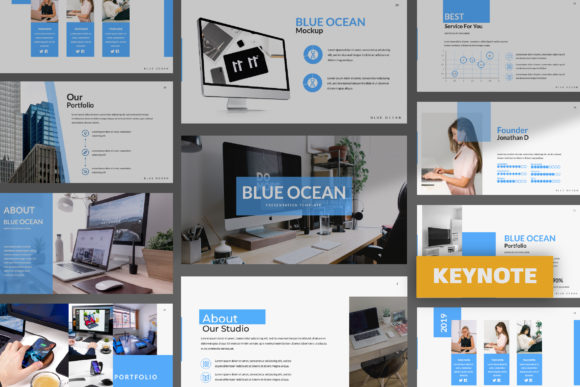
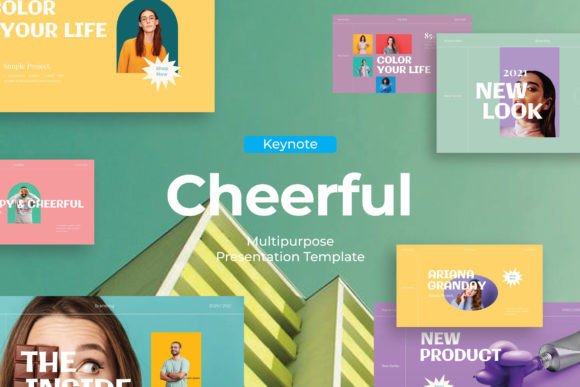
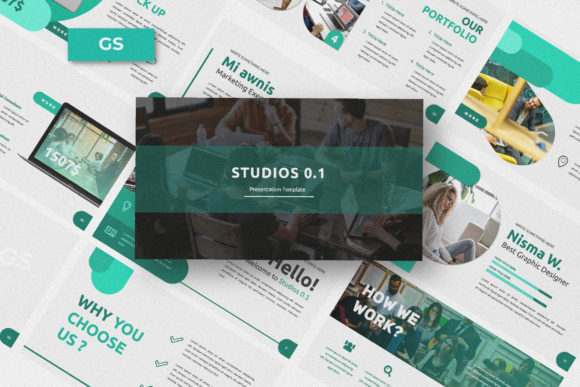
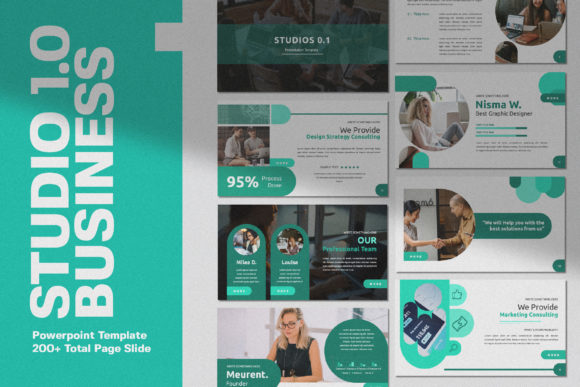
Let’s look under the hood. The Shinning Keynote template is built on a 16:9 aspect ratio, the modern standard that fills screens without awkward black bars. But its true power lies in its structure. Created with Slidemaster, it’s designed for efficiency. The “drag and drop” image placeholder functionality isn’t a gimmick; it’s a workflow accelerator. You can swap in your own high-resolution photos in seconds, maintaining perfect framing and composition. This is crucial for maintaining visual consistency across a 20 or 30-slide deck, especially for brand presentations or portfolio reviews where every image needs to look its best.
The template’s versatility is its standout feature. It’s genuinely multipurpose, offering many variations of layout and text. You’ll find slides tailored for business guidelines, which are invaluable for internal branding decks or client onboarding. There are unique portfolio slides designed to showcase creative work without competing with it. For the entrepreneur, there are layouts that break down complex data into digestible graphics. For the content creator, there are slides that give video thumbnails or social media metrics a polished, editorial feel. This isn’t a one-trick pony; it’s a comprehensive toolkit for visual communication.
Practical Applications: Where This Template Shines
Think about a branding agency presenting a new visual identity to a client. Using the Shinning Keynote template, they can move beyond flat mockups. They can use the business guidelines pages to show logo usage, color codes, and font pairings in a context that feels integrated and professional. The consistent design language across the deck reinforces the agency’s own attention to detail, building trust. Similarly, a small business owner launching a new product line can use the portfolio-style slides to create a lookbook that feels as curated as a magazine spread, directly influencing brand perception and perceived value.
In the digital space, its utility is just as potent. Marketers can use it to build social media campaign presentations, with each slide designed for a different platform or audience segment. The easy color change feature allows them to quickly adapt the template to different campaign color schemes without redesigning from scratch. Bloggers and publishers can create media kits that look sharp and organized, presenting their audience statistics and collaboration packages in a way that commands respect from potential partners. The Full HD resolution ensures that whether it’s projected in a boardroom or shared as a PDF, every detail is crisp and clear.
Making It Your Own: Customization and Considerations
The true test of any template is how easily it becomes yours. Shinning Keynote is fully editable, which is non-negotiable. The ability to change colors, fonts, and layouts is what transforms a generic asset into a bespoke brand tool. My advice is to start by swapping out the placeholder images with your own high-quality visuals. This single step instantly personalizes the deck. Next, adjust the color palette to match your brand guidelines. Since the template uses clean, modern typography, it pairs well with a wide range of fonts, but ensure any new fonts you introduce maintain the same level of clarity and professionalism.
When evaluating if this template fits your project, consider its personality. Its style is clean, contemporary, and slightly minimalist. It excels for projects that need to convey innovation, clarity, and sophistication. If your brand identity leans heavily toward ornate, vintage, or extremely playful aesthetics, you might need to customize it more heavily. For most business, portfolio, and marketing applications, however, its modern typography and structured layouts are a perfect match. It provides the visual hierarchy that guides an audience’s eye naturally from headline to supporting point, which is the bedrock of effective presentation design.
A Final Note on Assets and Licensing
Always remember to check the details. The preview images are not included, so you’ll need to source your own visuals. The fonts used are listed, which is helpful for maintaining consistency if you want to use the same typefaces in other brand materials. For commercial use, verify that the template’s license covers your intended application, whether it’s for client work, internal business use, or public distribution. This is a standard but critical step in professional design work. The Shinning Keynote template is a powerful design asset, but like any tool, its effectiveness depends on the skill and intention of the person wielding it. Use it as a starting point, infuse it with your unique content, and you’ll have a presentation that doesn’t just share information—it makes an impact.